Open editions, with a certificate for each print
Register an open-edition artwork once, offer it in different sizes, and issue a separate certificate for each physical print as you make it.
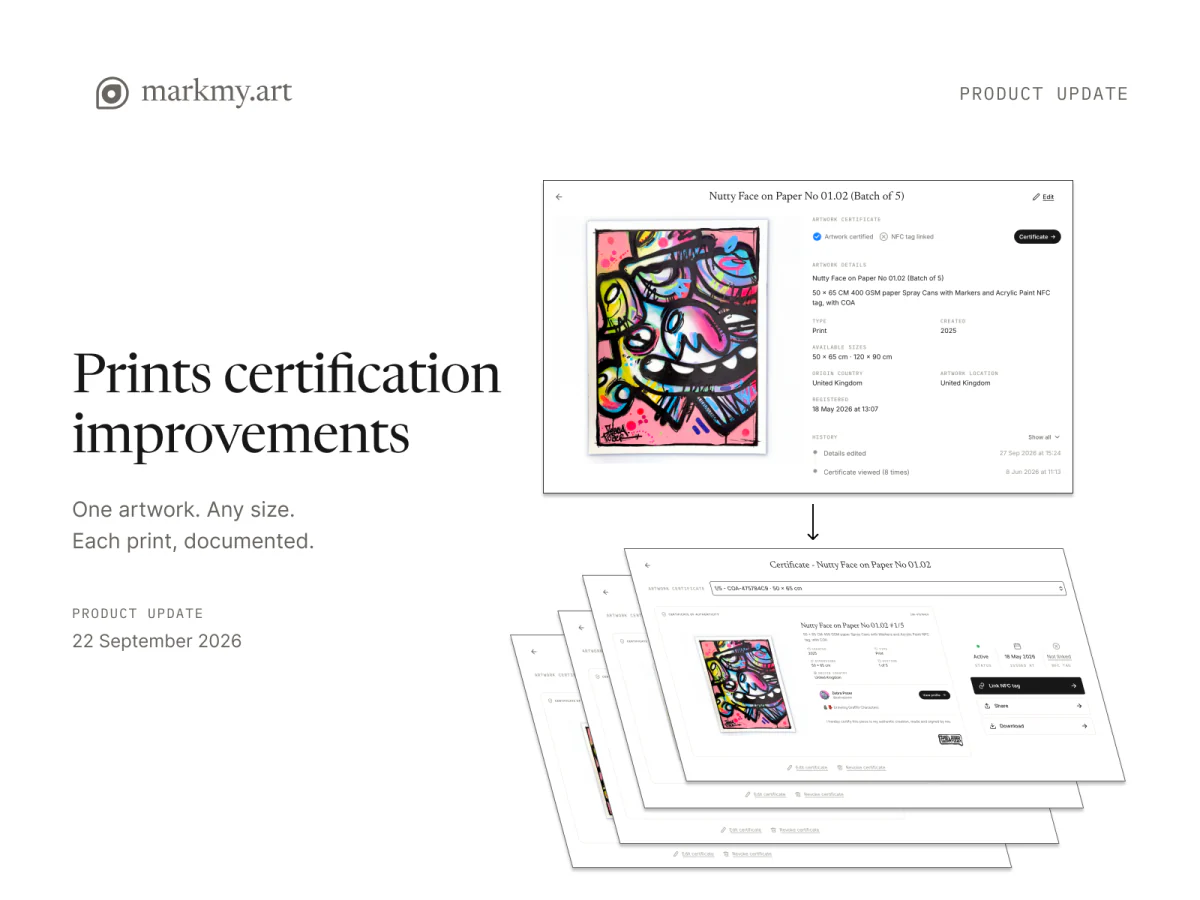
Open editions arrived on 22 September 2026, alongside a dedicated certificate workspace. Artists can now register an artwork with no fixed edition total and create a certificate for each physical print when it is ready.
The artwork record describes the image or design. Each issued certificate identifies one copy, with its own reference and recorded dimensions. That lets you keep one artwork listing while documenting prints made at different times or in different sizes.
Start with an open edition
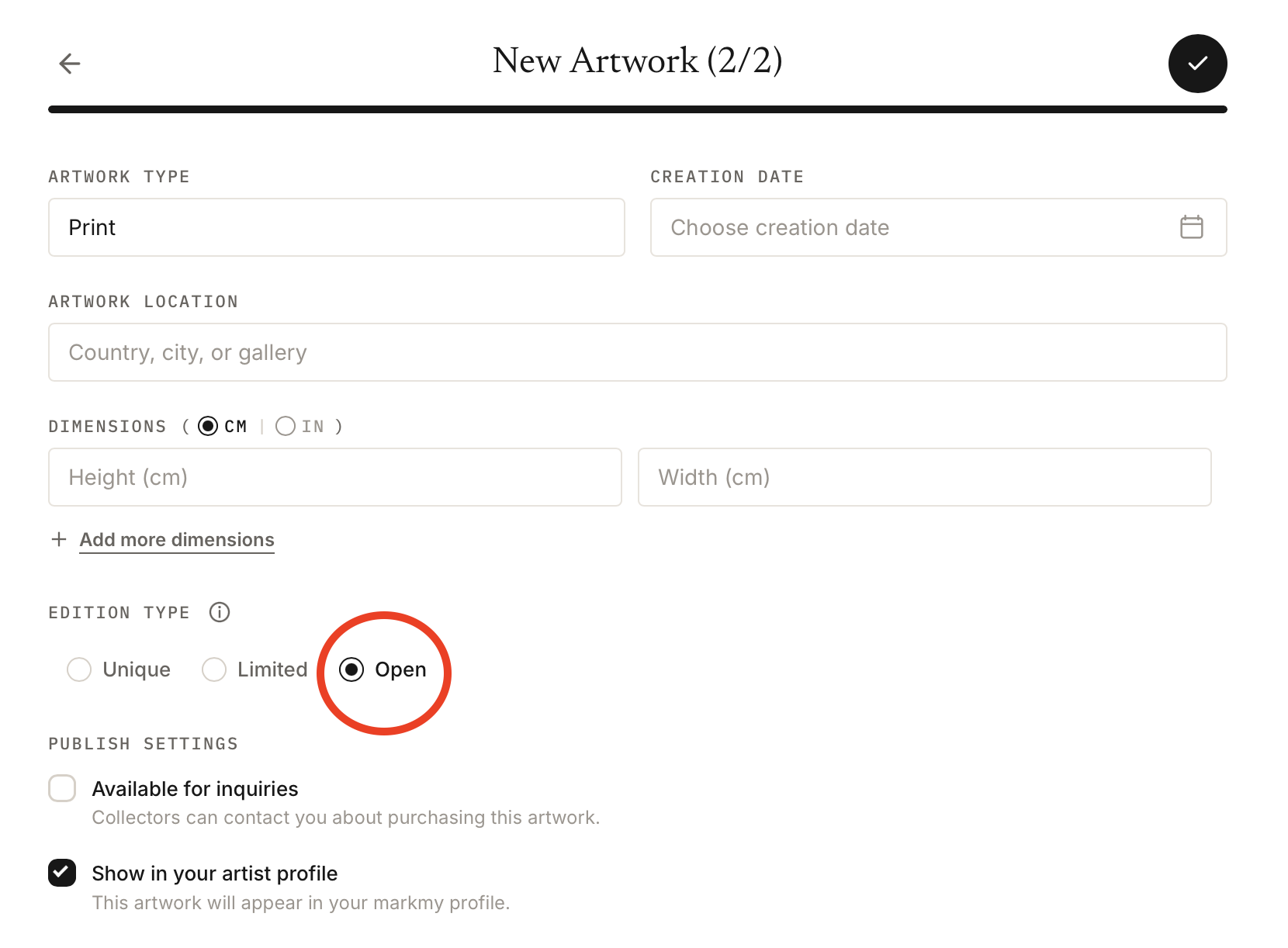
Choose Open edition when adding the artwork. There is no finite edition total to enter, and the public record identifies the work as an open edition.
You can save and publish the artwork before issuing its first print certificate. Add a fixed size, several available sizes, or leave the listing's dimensions unspecified until you know the format.
Unique artworks and limited editions keep their own modes. Use a limited edition when you are declaring a fixed total; use an open edition when you are not.
Issue a certificate when a print is ready
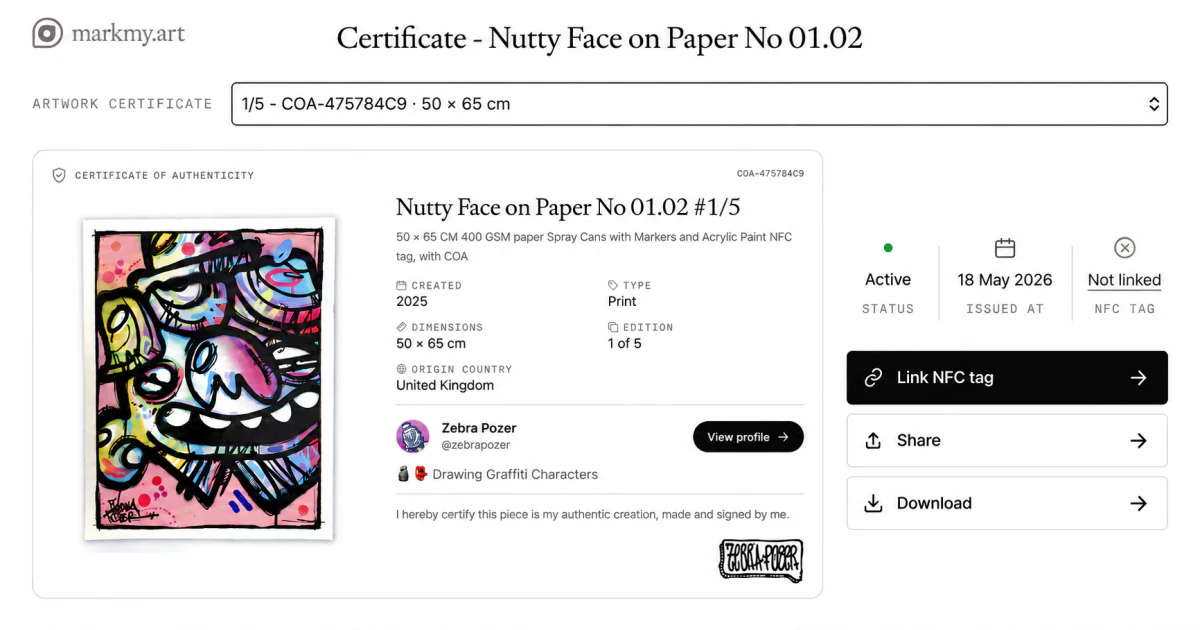
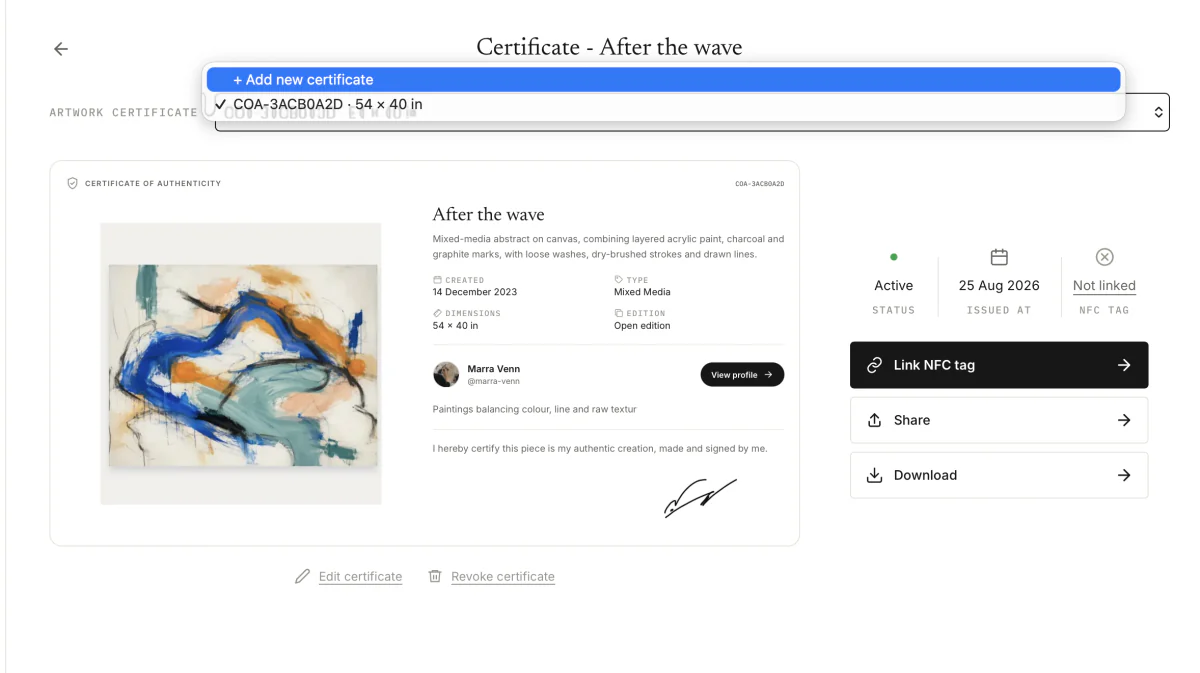
Open the artwork's certificate workspace and choose Add new certificate. Select an offered size or enter the actual dimensions, check the preview, and release the certificate for that copy.
Each open-edition print receives its own certificate code without a fraction such as 7/25. You can return to the certificate list to select the right copy, share its public link or download its PDF.
Keep each print's size with its certificate
The size recorded when you issue a certificate belongs to that print. Changing the artwork's available sizes later does not rewrite the dimensions of certificates already issued.
For example, you can offer the same image at 30 × 40 cm and 50 × 70 cm. When you make a 30 × 40 cm copy, its certificate records that size, while the artwork listing can continue to show both options.
If an artwork is offered for sale in several sizes, an inquiry can also record the size a visitor is interested in.
Manage the copies from one place
The certificate workspace keeps the issued copies together under their artwork. Select a particular certificate before sharing, downloading or linking an NFC tag.
An NFC tag is optional. If you use one, link it to that individual print's certificate and check the public result before handover.
The certificate list counts the records you have issued. Keep a separate sales and stock record to track which prints have sold.
Use one artwork record for an ongoing print run
Add the image as an open edition, choose the sizes you offer, and issue certificates as physical copies are prepared. The print walkthrough covers the steps from adding the artwork to sharing the finished certificate.