A Shop tab for your artist profile
Mark an artwork as available for purchase, add its price and a link to where collectors can buy it, and show your available works together in a Shop tab on your artist profile.
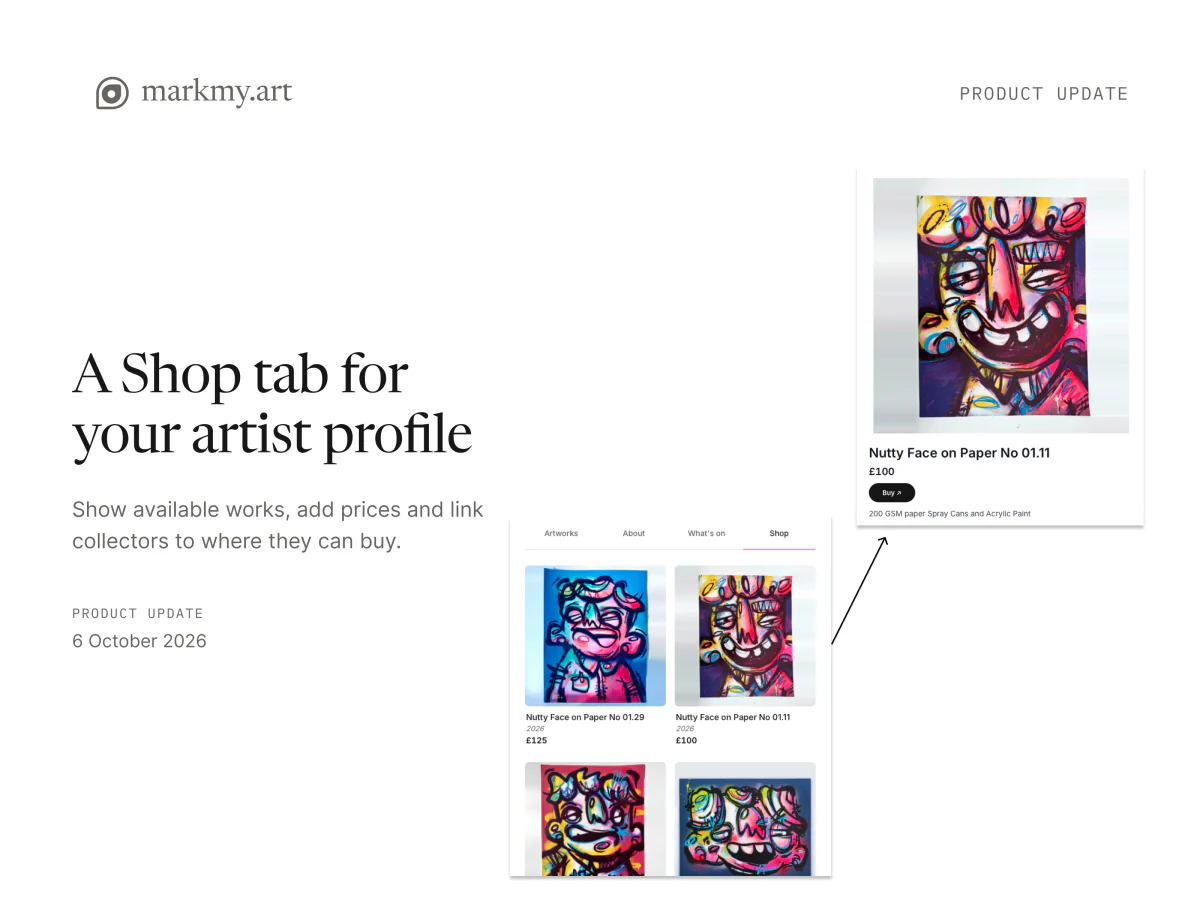
Artworks on Markmy can now carry a price and a link to buy them. Collectors see the price on the artwork page, and a Buy button takes them to the shop, website or payment page you choose.
Mark an artwork as available for purchase
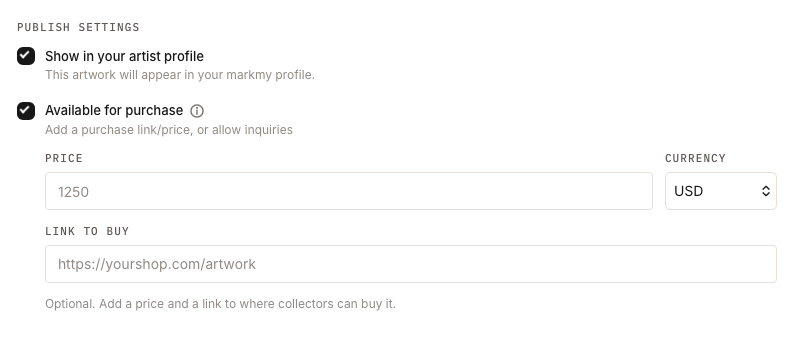
When you add or edit an artwork, open Publish settings and turn on Available for purchase. The Price, Currency and Link to buy fields appear below it. If you leave the price and link empty, collectors can still contact you with the Inquiry button.
If you import artworks from your shop, Markmy reads each listing and fills in the price and link for you where it can.
A Shop tab on your profile
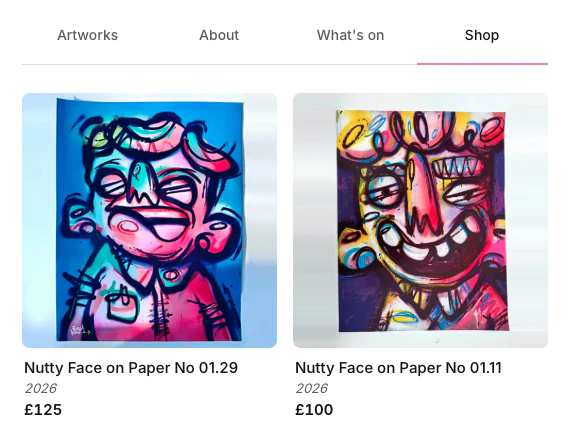
Your public profile shows a Shop tab as soon as at least one artwork shown in your profile is available for purchase. It lists those works with their prices.
The Shop follows your Artworks arrangement: pinned works stay first and hidden works stay hidden. Each card opens the artwork page, where the Buy or Inquiry button is shown. You can share the tab directly by adding #shop to your profile link.
Arrange your profile tabs
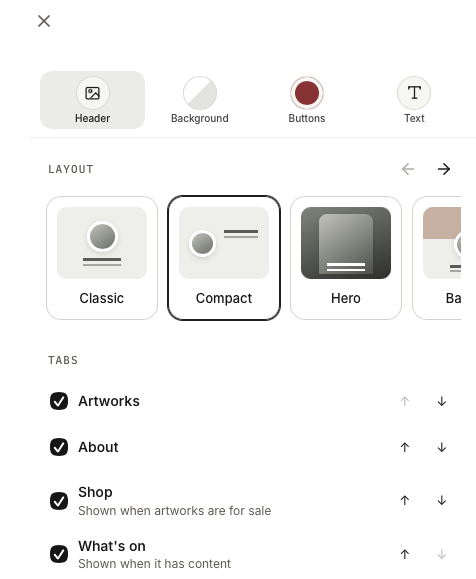
In profile customisation, open Design, then Header, and find Tabs. Move Artworks, About, What's on and Shop into the order you want, or hide the ones you do not need.
The first visible tab opens when someone visits your profile, so you can move Shop to the front if selling is your focus. At least one tab must stay visible, and a tab without content, such as Shop with nothing for sale, is not shown. Publish your profile to apply the change.